Visa QR eGift
Visa QR eGIFT is a secure, no-plastic digital gift card sold in retail stores. After purchase, simply scan the QR code on the carrier to load the eGIFT into your mobile wallet. Once added, your balance is ready to spend online or in-store, including anywhere tap-to-pay is accepted.

How to use your card

1
Step 1. Open the gift card package by pulling the rip-cord to access the inside panel. There is no physical gift card inside.

2
Step 2. Scratch off the protective hologram to reveal the secure QR code.

3
Step 3. Scan the QR code with your mobile device.

4
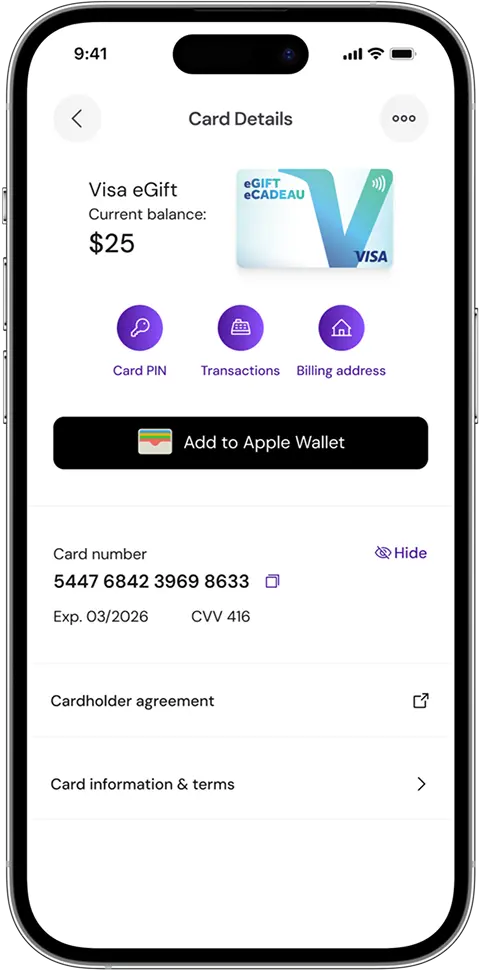
Step 4. Follow the prompts in My Card Wallet app to add the eGIFT to your mobile wallet.

5
Step 5. Once added, your funds are ready to use immediately online or in-store anywhere tap-to-pay is accepted in Canada.
Download My Card Wallet
Keep all your Visa and Mastercard eGifts organized in one secure place. Instantly check balances, review purchase history, and manage account information. Enter your billing address to start shopping online and in-store right away.
Get the app now and never lose track of your cards again.